





-
88 miles per hour, a DeLoreon, stolen plutonium, 1.21 gigawatts, and a Flux Capacitor. Those are the things it takes for time travel to be possible. Thanks to Doc Brown we know this and understand it. Sort of. I mean, what the hell is a gigawatt anyway. I guess for the purposes of this review that's neither here nor there. Just know this going in, Doc is in trouble and it's up to you to control Marty and figure out what's going on and save Doc.
The game starts in a very familiar way, but with some subtle differences. Einstein is loaded in to the DeLoreon and sent 1 minute in to the future. This is where things that you thought you knew, go off the rails. Once you take control of Marty you are put in Doc's lab to get a feel for how things will play. The controls handle well for an adventure game. Using the left control stick you will guide Marty around in the lab and run in to a few familiar characters. You'll also recognize quite a few of Doc's inventions and items from the movies around his lab.
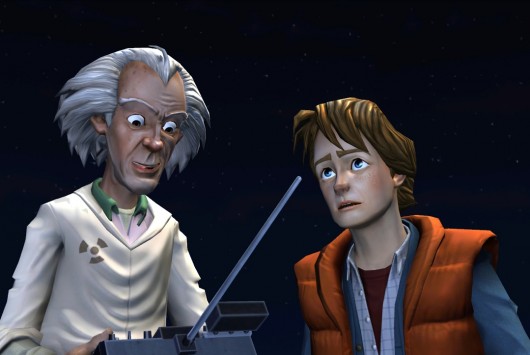
As you search for clues to determine Doc's whereabouts, you will use some simple dialogue trees to talk with familiar and new faces around Hill Valley. Combine the bits of dialogue with different environmental elements and you get the main portion of the gameplay. These play out like puzzles. Taking the cues from the conversations and actions that characters take, you use different things in the area to solve these puzzles. It really does make for a good combination and you rarely feel stuck, which is big in a game like this. Controls are a bit hit and miss here. They work well enough but a get awkward every once in a while with certain camera angles and environmental elements getting in the way. It's not a game breaker but a little more refinement would have been good.

Graphically the game looks good. All the characters are easily identifiable from a glance and they really fit in with the overall aesthetic of the game. It's when the characters start to talk that the game really shines. The voice acting is truly top notch. Bringing in Christopher Lloyd was the greatest idea and A.J. LoCascio does an amazing job as Marty. There are times that even the biggest fan of Back to the Future would be hard pressed to identify whether it was really Michael J. Fox or A.J.

The game is broken in to 5 episodes and as you play through they get progressively better. The game stays very true to the series and is a very welcome addition for fans. The disc based version of the games on PS3 are the exact same as the PSN versions (All the episodes are available on PS3, PSN, PC, and iOS devices.) and that's really my only major problem with the games. It would have been really nice to get a few extras on the disc. Maybe a version with commentary by the voice actors and designers or even have Bob Gale come in for commentary. Small quibbles aside, any fan of Back to the Future should pick up every episode and play through them and relish every moment of the continued story. So, don't be a slacker like the McFly's and go pick this up.

Recommended Comments
Please sign in to comment
You will be able to leave a comment after signing in
Sign In Now