




Skip to content
View in the app

A better way to browse. Learn more.

Gamercide

A full-screen app on your home screen with push notifications, badges and more.

To install this app on iOS and iPadOS
  1. Tap the Share icon in Safari
  2. Scroll the menu and tap Add to Home Screen.
  3. Tap Add in the top-right corner.
To install this app on Android
  1. Tap the 3-dot menu (⋮) in the top-right corner of the browser.
  2. Tap Add to Home screen or Install app.
  3. Confirm by tapping Install.
Welcome back to Gamercide!

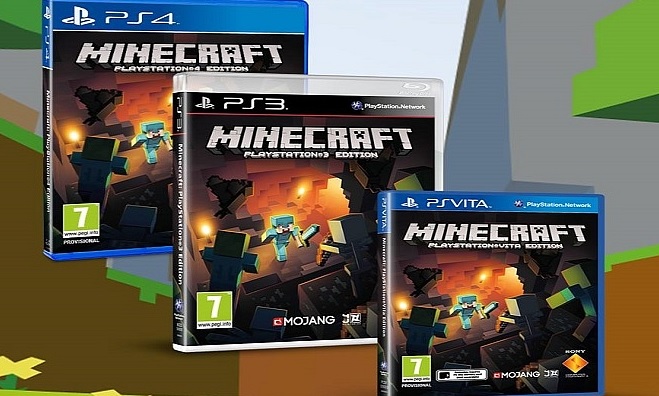
Minecraft PS3 Saves Transferable to PS4

  • Good news if you are still playing Minecraft on the PS3 and are planning on purchasing or already have a PS4. Your Minecraft world's will transfer over to the PS4 and possibly the Vita.

Owen Hill from Mojang made the announcement stating, "The plan is to enable users to transfer from PS3 to PS4. We're still working out how it'll work with the Vita version."

Minecraft is expected to release on the PS4 and Vita between the the second and third quarters.

Unfortunately for gamers on the Xbox 360 there is still no news on whether your worlds will transfer over to the Xbox One. Microsoft's Phil Spencer was caught stating that the saves will not transfer over from the Xbox 360 to the Xbox One, but has since said that they are currently speaking with 4J Studios regarding this issue.

via Eurogamer

User Feedback

Recommended Comments

Please sign in to comment

You will be able to leave a comment after signing in

Sign In Now

Members

No members to show

Member Statistics

  • 523 Total Members
  • 1640 Most Online
  • iceesnowman Newest Member ·

Account

Navigation

Search

Search

Configure browser push notifications

Chrome (Android)
  1. Tap the lock icon next to the address bar.
  2. Tap Permissions → Notifications.
  3. Adjust your preference.
Chrome (Desktop)
  1. Click the padlock icon in the address bar.
  2. Select Site settings.
  3. Find Notifications and adjust your preference.