




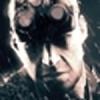
Deus Ex: Human Revolution is a highly praised game by both reviewers and gamers alike. Ask about the game and they will respond with stories about great combat experiences or the deep morals that tag along with a stellar plot. Ask these people about Deus Ex: HR's boss battles, however, and you'll get different reactions entirely, ranging from disgust to stories of how boring the fights were. Outside of the boss encounters, the game shines brightly, so it should come as no surprise that many have wondered how Eidos could go so wrong with one specific part of the game.
As it turns out, Eidos didn't go wrong with these bosses at all, as they didn't even make the sequences; they gave the job of making boss battles to a group called GRIP Entertainment, an independent developer also established in Montreal. The president, Dr. Paul A. Kruszewski, released a video (which you can watch below) describing how his company came to take on the project Eidos gave them, what the process was to making these notorious sequences, and what their past experiences were with gaming and video game technology.
I decided to venture over to GRIP's website just to understand a bit more about the company. After reading a bit into Dr. Paul A. Kruszewski from the group's site, he's received an apparently prestigious scholarship from the NSERC, and is 'respected around the world as [a] visionary in artificial intelligence and real-time computing'. So, knowing that, I guess the question is how he could have gone wrong about the process.

Recommended Comments
Please sign in to comment
You will be able to leave a comment after signing in
Sign In Now