





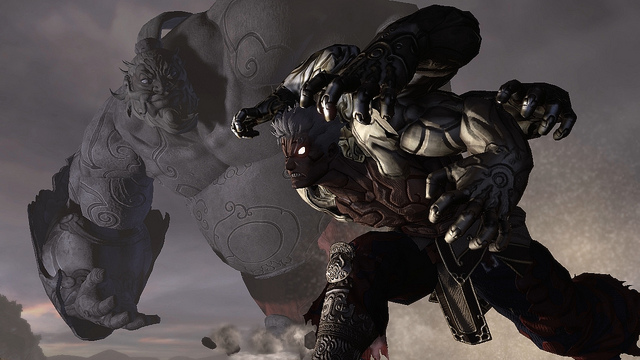
According to the Playstation Blog, Asura's Wrath, Capcom's upcoming game that puts hack and slash gameplay in an Asian mythological settings, is planned for a 2012 release on both Xbox 360 and Playstation 3.
It’s not your typical action game where you start out with a small sword and work up to a huge weapon; it doesn’t have that style of progression. However there are various stages where Asura can power up – you have already seen here that he started out with two arms and then he has six, and there will be quite a few transformations along those lines. The character you see here is not all there is.
You can see the epic reveal trailer here, via IGN's Youtube channel: Asura's Wrath: Official Reveal Trailer
That’s just about all we know about Asura’s Wrath right now, other than that it satisfies a common request from modern games fans – the option to choose between Japanese and English voiceover. It’s coming to PlayStation 3 in 2012.
I can just hear the otaku in me screaming out "zomg Asian God of War!". This game looks like it will be incredibly badass.
via the official Playstation Blog

Recommended Comments
Please sign in to comment
You will be able to leave a comment after signing in
Sign In Now